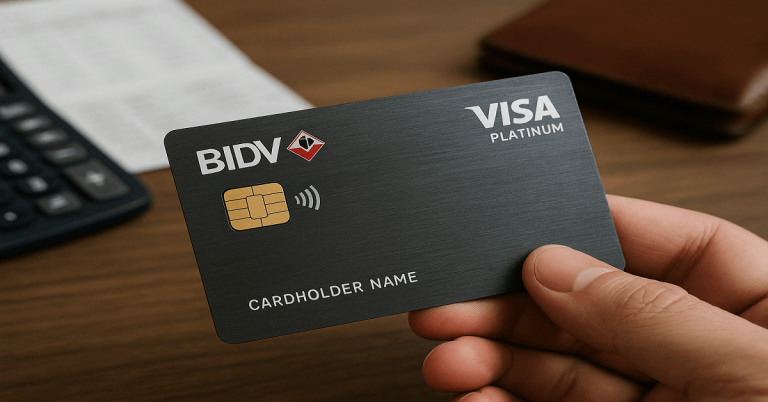
The RHB Visa Signature is designed for people who want strong cashback, travel benefits, and convenient digital banking features.
You get access to rewards and protections that help you manage everyday purchases more efficiently.


This guide explains the requirements, fees, and steps you need to follow to apply for the card with confidence.
Key Features and Benefits of RHB Visa Signature
The RHB Visa Signature gives you practical benefits that help you save on everyday spending.
You also get digital tools and protections that make the card easier and safer to use.
- Cashback on daily spending categories such as groceries, dining, and online purchases
- Higher cashback rates for overseas transactions
- Complimentary travel insurance for eligible trips
- Contactless payment support for faster checkout
- Access to RHB Mobile Banking for real-time tracking and card management
- Visa security features, including fraud monitoring and purchase protection
Rates and Fees
Here are the typical rates and fees for using this card. This helps you understand the cost and conditions before you apply.
- Annual fee: None — the card is listed as having no annual fee.
- Interest rate (on unpaid balance): 15%–18% per annum, depending on usage and payment pattern.
- Foreign (overseas) transaction fee: 1% added to the converted amount (on top of the exchange rate).
- Cash advance fee / ATM withdrawal using card: 5% of the cash amount (minimum RM 15) plus interest at 18% p.a. on the cash advance.
- Late payment / overdue fee: If you miss the payment due date, a late payment charge applies.

Eligibility Requirements
You must meet RHB’s basic criteria before applying for the RHB Visa Signature.
These requirements ensure you have a stable financial profile and the ability to manage the card responsibly.
- Minimum age requirement, typically 21 years old for principal applicants.
- Malaysian citizen or permanent resident status.
- Minimum annual income that meets RHB’s qualifying threshold.
- Stable employment or verifiable business income.
- Satisfactory credit score and clean repayment history.
Documents You Need to Prepare
RHB requires specific documents to verify your identity, income, and financial stability.
Preparing these in advance helps speed up your RHB Visa Signature application.
- Valid identification such as MyKad (IC) or passport
- Recent salary slips for the last 1–3 months
- Latest EPF statement or EA Form as proof of annual income
- Recent bank statements, if additional verification is needed
- Proof of address, such as utility bills or digital billing statements
- Business registration documents for self-employed applicants
How to Apply for the RHB Visa Signature
You can apply for the RHB Visa Signature through three convenient methods.
Choose the option that fits your schedule and prepare your documents in advance for a smoother process.
Apply Online
- Visit the official RHB website.
- Complete the online application form with your personal and financial details.
- Upload all required documents, including ID and income proofs.
- Submit the form and wait for RHB to verify your information and provide an approval update.
Apply via the RHB Mobile Banking App
- Log in to your RHB Mobile Banking App or create a new account.
- Open the menu and select “Credit Cards.”
- Choose RHB Visa Signature from the list of available cards.
- Upload your documents, submit the application, and track your status inside the app.
Apply at an RHB Branch
- Bring printed copies of all required documents.
- Request the credit card application form at the branch.
- Fill out the form with assistance from RHB staff if needed.
- Submit your documents and allow the branch to process your application manually.
What Happens After You Submit Your Application
Once you submit your application, the bank will review your information and verify your documents.
Understanding what happens next helps you track your progress and avoid delays.
- RHB conducts a credit assessment to review your income, credit score, and financial history.
- You may receive a verification call if the bank needs to confirm your details.
- Additional documents may be requested if something is incomplete or unclear.
- You will receive an approval or rejection notice via SMS or email.
- If approved, your RHB Visa Signature card will be processed and delivered to your registered address.

Activation and First-Time Setup
After receiving your card, you must activate it before using it. This process is quick and ensures your card is ready for secure transactions.
- Activate your card through the RHB Mobile Banking App or by calling the official hotline.
- Set your 6-digit PIN to enable ATM and in-store transactions.
- Register or log in to RHB Online Banking to manage your card digitally.
- Review your assigned credit limit and billing cycle.
- Add your card to supported e-wallets if needed.
- Enable or adjust contactless and overseas usage settings in the app.
Tips to Increase Approval Chances
Strengthening your financial profile can help you get approved for the RHB Visa Signature.
These steps make your application more precise and more reliable to the bank.
- Maintain a clean credit record with timely payments.
- Reduce existing debts before applying.
- Ensure all documents are complete and up to date.
- Provide accurate income and employment details.
- Avoid submitting multiple credit card applications within a short period.
Rewards Redemption Options
Once you earn rewards or cashback with your RHB Visa Signature card, you need to know how to claim them.
These redemption options let you get value out of the benefits you’ve earned.
- Redeem cashback through the RHB Mobile Banking App or online banking portal.
- Exchange reward points for gift vouchers or merchandise (if offered).
- Use earned rewards to offset your credit card statement.
- Convert rewards into travel perks — such as travel insurance coverage or travel-related discounts (if applicable).
- Transfer rewards to partner merchant offers or promotions supported by RHB (when available).
How to Manage Your RHB Visa Signature Effectively
Managing your RHB Visa Signature responsibly helps you avoid fees and maximize your rewards.
- These practices keep your spending organized and your account secure.
- Track your transactions regularly through the RHB Mobile Banking App.
- Set spending limits and alerts to control your budget.
- Pay your balance on time to avoid interest and late fees.
- Review your monthly statements for accuracy and unauthorized charges.
- Monitor your cashback or rewards balance and redeem them before they expire.
Contact Information
If you need help with your RHB Visa Signature application, activation, or support, contact RHB Bank Berhad using the details below.
The contacts below are verified from RHB’s official sources.
- Customer Contact Centre (phone): +60 3-9206 8118
- Customer Email Support: customer.service@rhbgroup.com
- Alternative Support / Customer Advocacy (for complaints or serious issues): +60 3-9206 8090
- Head Office Address: Tower 2 (or Tower 1, depending on source), RHB Centre, Jalan Tun Razak, 50400 Kuala Lumpur, Malaysia
To Wrap Up
The RHB Visa Signature offers strong cashback, functional travel benefits, and convenient digital tools for everyday spending.
If you meet the requirements and prepare the required documents, applying becomes a smooth, quick process.
Take the next step today and submit your application through the RHB website, mobile app, or your nearest branch.
Disclaimer
Card details, fees, and requirements may change without prior notice, and updates may vary based on RHB Bank’s official policies.
Always review the latest information on the RHB website or contact RHB directly before applying.