Lidl Plus gives instant access to digital discounts and app-exclusive offers during every shop.
The free digital card on your phone activates coupons and automatically tracks savings. It provides a simple way to lower weekly grocery costs with no fees involved.

What Is Lidl Plus?
Lidl Plus is a free digital rewards program that gives shoppers access to app-based coupons, weekly discounts, and personalised offers.
It works through a digital card in the Lidl Plus app that you scan at checkout to activate savings.
How Lidl Plus Works
Here’s a quick explanation of how Lidl Plus works. This helps you understand how the app delivers discounts during your shop.
- Digital Card – Scanned at checkout to activate all available offers.
- Coupons – Must be activated in the app before shopping.
- Weekly Discounts – Automatically applied when the card is scanned.
- Personalised Offers – Adjusted based on your shopping habits.
- Digital Receipts – Stored in the app after every transaction.
- Reward Vouchers – Given when spending meets active promotional thresholds.
How to Sign Up
Signing up takes only a few steps and can be done entirely on your phone.
This process lets you access the digital card and all available discounts right away.
- Download the App – Install Lidl Plus from the App Store or Google Play.
- Create an Account – Enter your mobile number and basic details.
- Verify Your Number – Input the code sent via SMS to confirm your account.
- Set Your Store – Choose your preferred Lidl branch for location-based offers.
- Enable Notifications – Receive alerts for new coupons and discounts.
Key Features and Benefits
These features show what makes Lidl Plus useful during your regular shop. Each one helps you access discounts and track savings more efficiently.
- Digital Coupons – Activate offers in the app to lower prices at checkout.
- Weekly Deals – Receive rotating discounts based on current promotions.
- Personalised Offers – Get targeted savings based on your shopping activity.
- Partner Discounts – Access special deals from Lidl’s partnered brands or services.
- Digital Receipts – Keep all your receipts in one place for easy monitoring.
- Reward Vouchers – Earn vouchers after reaching spending milestones.
In-Store Usage Guide
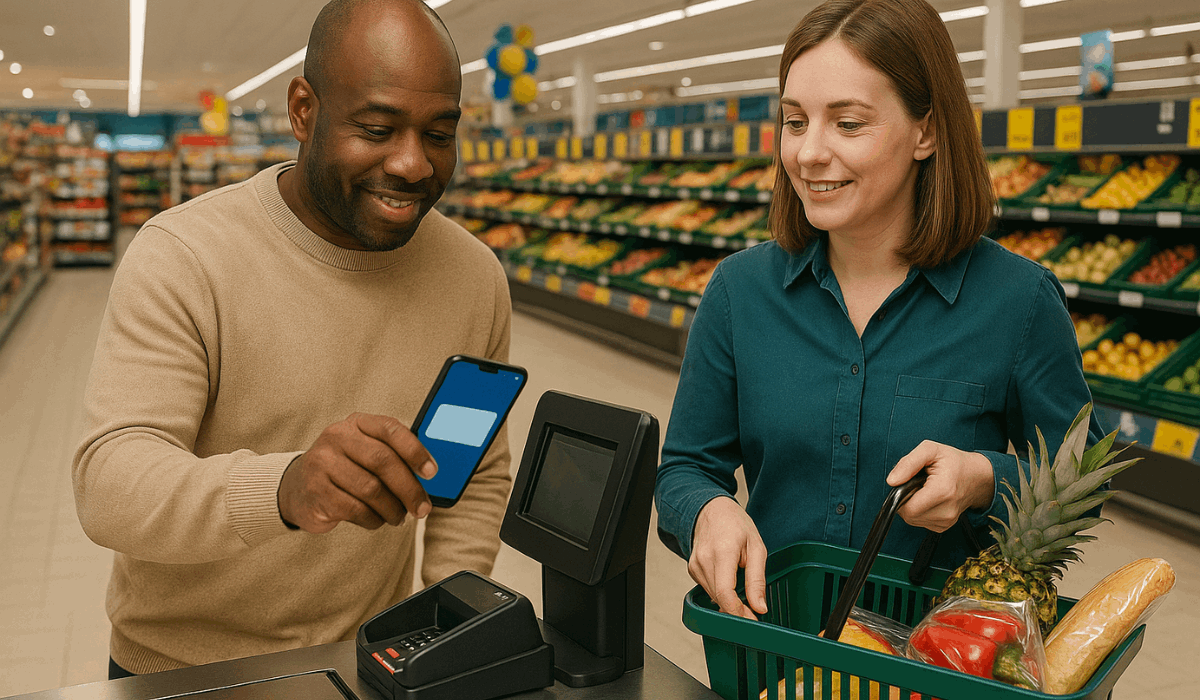
You can use Lidl Plus easily during any store visit. These steps show how to activate savings at checkout without any complications.
- Open the App – Launch Lidl Plus before reaching the till.
- Show the Digital Card – Present the QR code to the cashier or self-checkout scanner.
- Activate Coupons – Ensure all chosen coupons are activated before scanning.
- Apply Discounts – Savings are deducted automatically once the QR code is scanned.
- Check Digital Receipt – Review your receipt in the app after payment.
Reward System and Savings
Lidl Plus offers extra savings through its reward system. These points show how you can earn and use additional discounts.
- Spending Milestones – Receive vouchers after reaching set spending amounts based on current promotions.
- Bonus Coupons – Unlock special coupons tied to specific shopping behaviours or events.
- Seasonal Rewards – Access limited-time rewards during holidays or campaign periods.
- Partner Savings – Enjoy discounts offered by Lidl’s partner brands or services.
- Monthly Offers – Get recurring rewards that refresh each month depending on your activity.
Program Limitations
Lidl Plus has a few limitations you should know before relying on it for discounts. These points outline what may affect availability and savings.
- Regional Availability – Features, offers, and rewards vary by country and sometimes by store location.
- Coupon Activation – Discounts only apply if coupons are activated before checkout.
- Offer Restrictions – Some deals have product limits, expiry dates, or minimum spend requirements.
- Technical Issues – The app may occasionally experience downtime or scanning errors.
- Privacy Requirements – Certain features require data-sharing permissions to function correctly.
Tips to Maximise the Program
These practical tips help you get the highest savings from Lidl Plus. Each point shows a simple action that improves how the program works for you.
- Activate Coupons Early – Turn on all relevant offers before arriving at the store.
- Check Weekly Deals – Review new discounts every week to avoid missing savings.
- Scan the Digital Card Every Time – Ensure the QR code is scanned on every purchase to track spending and rewards.
- Enable Notifications – Receive alerts when new offers become available.
- Review Digital Receipts – Use stored receipts to monitor purchases and plan for upcoming promotions.
App Navigation Guide
Understanding the Lidl Plus app layout helps you find discounts and manage your account faster.
These points show where key features are located and how to access them.
- Home Screen – Shows active coupons, weekly offers, and quick access to the digital card.
- Digital Card Tab – Displays your QR code for scanning at checkout.
- Coupons Section – Lists all available coupons you can activate before shopping.
- Receipts Tab – Stores all digital receipts from previous purchases for easy reference.
- Rewards Section – Shows progress toward vouchers, spending milestones, and bonus rewards.
- Account Settings – Allows updates to personal details, notifications, privacy options, and store preferences.
Common Issues and Fixes
Some users experience minor issues with Lidl Plus, and most have simple solutions.
These points show the most common problems and how to fix them quickly.
- QR Code Not Scanning – Increase screen brightness and clean the scanner; if it still fails, restart the app and try again.
- Coupons Not Applying – Ensure coupons are activated before checkout; refresh the app if the activation doesn’t register.
- App Not Loading – Check your internet connection, then force-close and reopen the app.
- Missing Receipts – Wait a few minutes for syncing, or log out and log back in to reset data.
- Location Errors – Enable location permissions in your phone settings to access nearby store info.
- Login Problems – Reset your password through the app or verify that your mobile number is entered correctly.

Who Should Use Lidl Plus?
Lidl Plus is most useful for shoppers who want consistent savings with minimal effort. These points show who benefits the most from the program.
- Frequent Lidl Shoppers – Gain the highest value from weekly deals and ongoing coupons.
- Budget-Focused Households – Use discounts and digital vouchers to reduce weekly grocery costs.
- Families Buying in Bulk – Benefit from rotating offers on essentials and multi-buy promotions.
- New Lidl Customers – Learn store offers easily through personalised app suggestions.
- Students and Young Adults – Access quick savings without needing a physical loyalty card.
- Shoppers Who Prefer Digital Tools – Manage receipts, coupons, and rewards directly on a phone.
Customer Support and Help Options
If you have questions or need help with Lidl Plus (in the UK), there are official support channels you can use. Here’s how you can reach support.
- Customer Care Email — Send queries to custom-er.care@lidl.co.uk
- Online Contact Form — Use the “Contact Us” or “Support” form on Lidl’s UK website or app.
- Phone Helpline — Call 0203 966 5566 for general support.
- App Support / Help Center — Access the built-in help section in Lidl Plus for troubleshooting, FAQs, or technical support.
To Wrap Up
Lidl Plus gives you an easy way to unlock discounts, track rewards, and manage your savings in one app.
The program works best when you activate coupons, scan your digital card, and check weekly offers.
Download the Lidl Plus app today to start saving on every shop.
Disclaimer
Information in this guide may change due to Lidl updates, regional policies, or app revisions.
Always check the official Lidl Plus app or Lidl UK website for the most accurate and current details.