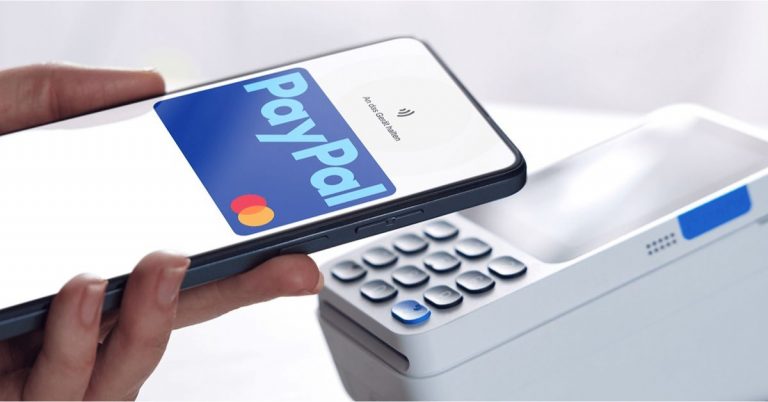
You want a JCB credit card, but you are not sure how the online application works.
In this guide, you will see what you need to prepare, how to fill out the form, and what happens after you submit it.


By the end, you will know each step so you can apply with more confidence.
Overview of JCB Credit Cards
You should understand what JCB is before you apply. The cards all run on the same network, but features and fees depend on the issuer in your country.
This quick list shows you the main points you need to know.
What JCB Is
- You use a JCB card on the JCB payment network, just as you would with other global card brands.
- It is widely accepted in Japan and in many partner shops and websites abroad.
Main Card Types
- Standard / Classic – basic everyday card with simple rewards and lower requirements.
- Gold / Premium – higher credit limits, more perks, and usually higher income requirements.
- Co-branded Cards – linked to a store, airline, or brand with extra points or discounts there.
Core Features and Benefits
- Earn points or miles on your spending, then redeem them for rewards.
- Access campaigns, discounts, or cashback at partner shops and online merchants.
- Security features such as EMV chip, fraud monitoring, and one-time passwords for online payments.
Digital and Online Use
- You can manage your card through online banking or an app, depending on the issuer.
- Many JCB cards support online shopping, contactless payments, and e-wallets where available.
Who Does a JCB Card Suit Best
- Good if you live in or often visit regions where JCB is widely accepted.
- Useful if you want rewards and campaigns focused on Japanese or Asia-based merchants and services.
Eligibility and Basic Requirements
Basic conditions help issuers decide if an application can move forward. Only the key points are listed here to keep things simple.
These are the usual checks many JCB issuers focus on.
- Minimum legal age set by the issuer (often 18 or older).
- Valid residency status in the issuing country.
- Stable and verifiable source of income.
- Credit history that meets the issuer’s internal standards.
- Government-issued ID and proof of address.
Documents You Need Before Applying Online
Having your documents ready makes the online application faster and smoother.
Most issuers require basic identification, proof of address, and income verification. The list below covers the usual requirements.
- Government-issued photo ID (passport, national ID, or driver’s license)
- Proof of address (utility bill, residence card, or bank statement)
- Proof of income (salary slips, tax return, or income certificate)
- Employment details (company name, position, and contact info)
- Recent bank statement if the issuer requests account details
- Active mobile number for SMS verification and one-time passwords
- Email address for online account setup and notifications

Step-by-Step Online Application Process
An online application becomes easier when the process is broken into clear steps.
Having your details and documents ready helps you finish everything in one go. The points below show a simple flow that many JCB issuers follow.
- Go to the official issuer website or app – Access the official bank or card issuer page and look for the JCB credit card section.
- Select your JCB card and review details – Choose the card you want and check the key features, fees, interest rates, and eligibility.
- Create or log in to your online account – Register a new profile or sign in with existing online banking credentials if required.
- Fill in personal, employment, and income information – Enter your ID details, address, contact info, job type, employer, and income.
- Upload required documents – Attach clear images or scans of your ID, proof of address, and income documents when prompted.
- Confirm terms and submit the application – Review all entries, agree to the terms and data consent, then send the form online.
- Track application status and respond to follow-ups – Check email or app notifications for updates and provide any extra information if requested.
Common Online Application Mistakes to Avoid
Some errors can delay your application or cause an automatic rejection. Knowing these issues ahead of time helps you complete the process smoothly.
The points below highlight the most frequent mistakes applicants make.
- Entering incorrect personal details – Typos in your name, address, or ID numbers can cause verification failures.
- Using outdated income or employment information – Inaccurate data may result in mismatches during screening.
- Uploading unclear or incomplete documents – Blurry photos or missing pages often result in additional verification requests.
- Ignoring eligibility rules – Applying without meeting age, residency, or income requirements usually leads to immediate rejection.
- Skipping the terms and conditions – Missing key fees or rules may lead to misunderstandings about how the card works.
- Submitting multiple applications in a short period – Too many recent credit checks can reduce approval chances.
Understanding Fees, Interest, and Credit Limits
When you get a JCB card in Japan, these are typical costs and limits to expect. Always confirm the latest details with the issuer.
- Annual fee (basic cards): No annual fee for many entry products like the JCB Card W, making them cost-efficient for everyday use.
- Annual fee (gold cards): About ¥3,150/year; some issuers offer a first-year waiver depending on the campaign.
- Revolving interest: Usually 15%–18% per year whenever you carry an unpaid balance past the due date.
- Installment interest: Often 15%–18% per year, applied to fixed-payment plans selected at checkout or after purchase.
- Cash advance interest: Around 15%–18% per year when using the standard cashing or ATM withdrawal feature.
- Credit limit: Assigned individually after income and credit checks, with limits adjusted over time based on usage and repayment history.

After Approval: Activating and Managing Your JCB Card
After approval, you need to activate your card and set up your account before using it.
This ensures the card is secure and your spending is easy to track. The steps below reflect what most Japan-based issuers require.
- Activate the card – Use the issuer’s website, mobile app, or automated phone line to complete activation before first use.
- Set up online banking – Create or log in to your digital account to view statements, track purchases, and manage card settings.
- Enable notifications – Turn on SMS or app alerts for transactions, billing reminders, and security warnings.
- Register for e-statements – Switch to digital statements to receive billing information faster and reduce paper delays.
- Configure payment preferences – Choose full payment or revolving options and set up automatic payments if available.
- Add the card to e-wallets – Link your JCB card to compatible digital wallets or contactless platforms supported by your issuer.
- Monitor spending and limits – Check your balance, available credit, and recent activity regularly to avoid overspending or declined transactions.
Contact Information
Here is verified contact info you can use for support or inquiries about your JCB card.
General support & billing inquiries (Japan)
- Tokyo: 0422-76-1700
- Osaka: 06-6941-1700
- Fukuoka: 092-712-4450
- Sapporo: 011-271-1411
Overseas travel/emergency support (toll-free within Japan)
- Call 0120-500-544
Email for merchant/licensing/partnership inquiries
- Global_Site@jcb.co.jp (not for personal card issues)
To Sum Up
Applying for a JCB credit card is easier when you understand the requirements, fees, and online steps involved.
Once your card is approved, proper setup helps you manage spending and keep your account secure.
If you’re ready to begin, start your online application today and follow each step carefully.
Disclaimer
Fee and eligibility details can change, so always check the latest information from the official issuer.
This guide is a general reference and does not replace the issuer’s terms.